An intelligence that works for your organization.On your servers. Under your control.
NeueCode takes on the work your departments give it, from documents and data to operations and software, and does it on your own servers and GPUs. Nothing leaves your network. A person approves the actions that matter, every action is on record, and the cost does not rise with each new user.
Free for 30 days · Runs on your own server · No credit card
- Your servers, your GPUs
- Nothing leaves your network
- A person approves every action
- Everything on record
NeueCode is a private autonomous intelligence system for enterprises: an on-premises AI that takes any task, documents, data, research, operations and software, on the organization's own servers and GPUs, with no data leaving the network, a person approving every action and a tamper-evident record of all of it.
One system, three parts
Three things every board asks of AI. One private system that answers all three.
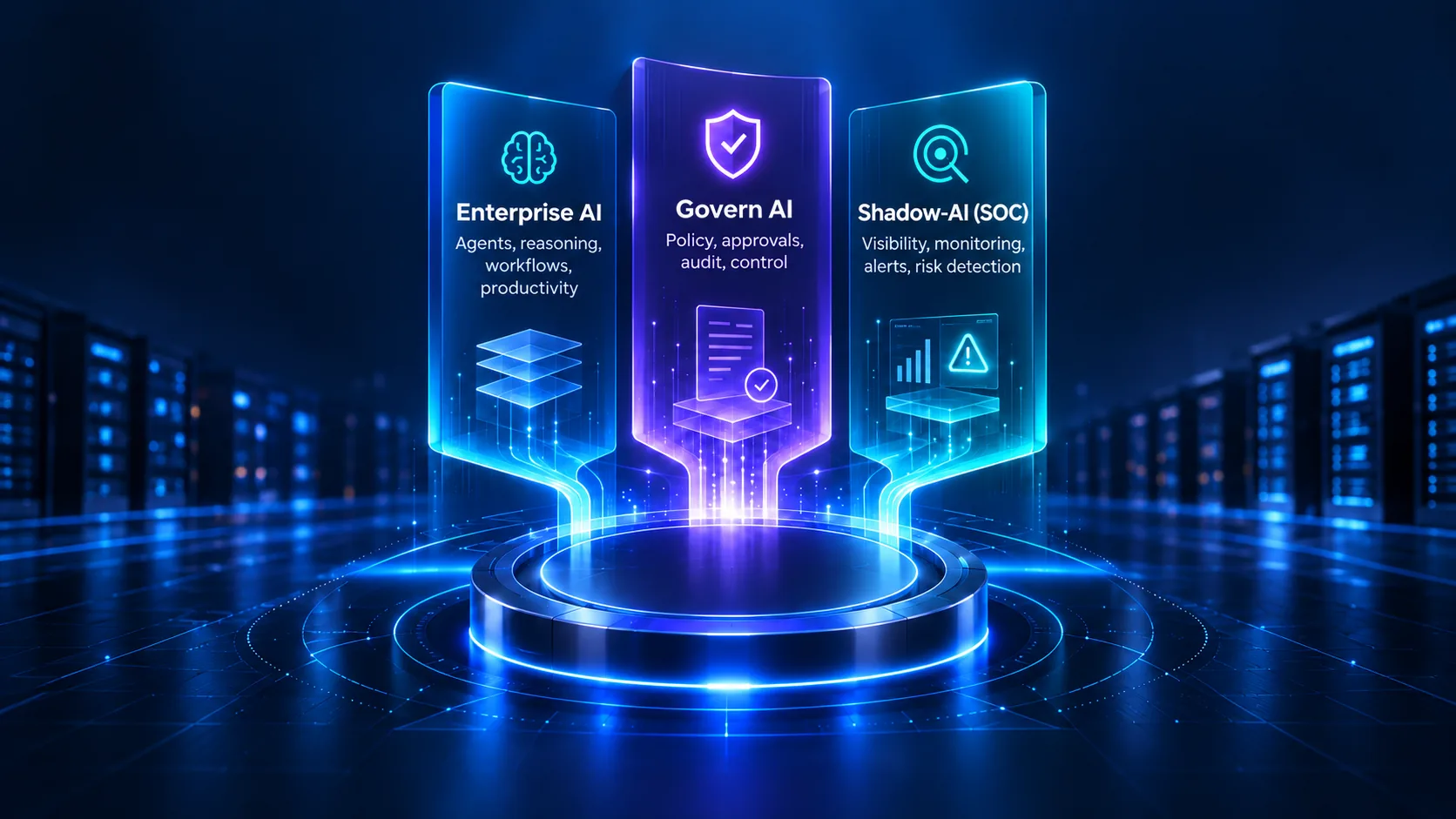
Agentic AI does the work. AI governance keeps it under your rules. Shadow AI detection shows what else is running. All of it is private AI, on your own server.
Enterprise AI
“What will it do for us?”
Agentic AI: It does the work.
Give it a task from any department. It reads, decides, acts and reports back, across documents, data, research, operations and software.
- Agents
- Reasoning
- Workflows
- Scheduled work
You can checkThe acceptance run on a real model is published with every release.
Govern AI
“Who controls it?”
AI Governance: You set the rules. It keeps the record.
The server decides which actions wait for a person, and every step, tool call and approval goes into a tamper-evident record. The AI tools your people already use can be brought under the same rules.
- Policy
- Approvals
- Audit
- Legal hold
You can checkThe security gate’s result is published with every release.
Shadow-AI (SOC)
“What AI are our people already using?”
Shadow AI: See the AI you did not approve.
The desktop and editor apps report AI programs running on people’s machines that your organization has not allowed, so your security team sees them in one place.
- Visibility
- Monitoring
- Alerts
- Risk detection
You can checkOff by default. An administrator turns it on.
Your server
“Where does it run?”
Private AI: On your own server. Nothing leaves.
The models run on your own GPUs, inside your building or your private cloud. No connection leaves the server unless an administrator allows it, and updates arrive as signed packages you can apply offline.
- Your GPUs
- Your network
- Strict mode
- Signed updates
You can checkStrict mode is the default on every installation.
Built for a whole organization
One AI system for the whole company. A different assistant for every team.
Your people sign in with the accounts they already have. Each team gets an assistant that knows its job, sees only its own data and uses only the tools you allow. All of it runs on servers you own.
Day one
Everyone is already in.
Connect your company directory once. Your people sign in with the password they already use, and when someone leaves the company, they lose access here too.
Works with
- Active Directory
- LDAP
- SAML 2.0
- OpenID Connect
The first week
Every team gets an assistant built for its job.
Give a team its own assistant: a name, how it should behave, the tools it may use and the company data it may read. Finance does not see what Legal sees, and nobody gets a tool you have not allowed.
Example · Finance team
Finance Analyst
the team’s own assistant
“Answer from the ledger, and always show the numbers.”
- May use
- Documents Memory Saved reports
- Reads
- The finance database, read-only
- Kept off
- Web search Cloud models
Example · Legal team
Contract Reviewer
the team’s own assistant
“Check every contract against our policy and list what conflicts.”
- May use
- Documents Image analysis Memory
- Reads
- The contracts folder
- Kept off
- Web search Running commands
Example · Engineering team
Code Partner
the team’s own assistant
“Plan the change, run the tests, and wait for approval before committing.”
- May use
- Read and write files Run commands Git and tests
- Reads
- The team’s own projects
- Kept off
- Cloud models
As you grow
Add servers. Never replace one.
Start with a single server. When more people use it, add GPU servers beside it. And when you want a model larger than any one machine can hold, NeueCode runs it across several.
One server
One NVIDIA card with 24 GB is enough to start.
Add GPU servers
More people working at the same time.
One model across servers
A model larger than any one machine.
Always
IT stays in charge.
Everything above is set in one administrator’s console, and every change is on the record.
A person approves
The actions that matter wait for a person.
Everything is recorded
Every step, tool call and approval, ready for an auditor.
Lock a team in one click
A whole group is kept out until you unlock it.
One switch to close the doors
The server goes to strict mode at once: nothing leaves it.
For the people who decide
What private enterprise AI means for the CEO, the CFO and the CTO.
Three people sign off on AI. Each asks a different question, and each gets a plain answer.
For the CEO
Own the intelligence your organization runs on.
- Contracts, customer data, financials and source code are worked on inside your network and never sent out.
- It works for every department: documents, data, research, operations and software.
- A person approves the actions that matter, and every action is on a record you can show a board or a regulator.
- You choose from a variety of AI models and change them when you decide, not when a provider does.
For the CFO
One fixed cost per server, however many people use it.
- One license per server, set by the server’s GPU memory.
- Unlimited users within the server’s capacity. Adding a person adds nothing to the bill.
- No per-token fees, and maintenance is included in the first year.
- Install the free trial and the server tells you which license it needs. The price list is inside it.
For the CTO
Every claim can be checked on your own server.
- The models run on your own GPUs, and one server serves several models at once.
- No connection leaves the server unless an administrator allows it. The rule is enforced in the data path.
- People sign in with Active Directory, LDAP, SAML or OpenID Connect.
- Updates are signed packages your server checks, applied offline if you wish.
What it does
Give it the task. It does the work.
Not a chat window that suggests. An intelligence that reads, decides, acts and reports back, on whatever your organization needs done, with a person in control of every step that matters.
Documents
Drafts, reviews and rewrites reports, policies, contracts and memos from the sources you give it, and delivers them as files, not snippets.
Data
Answers questions over your databases and files: writes the query, checks the numbers against what it read, and hands you the summary with its sources.
Research
Reads what you point it at, inside your network and, only if you allow it, on the web, and reports what it found and where. Never a claim without a source.
Operations
Runs the recurring work on your timetable: scheduled tasks, checks, reconciliations, the morning report, each one recorded like any other action.
Software
Reads your code, plans the change, edits as reviewable diffs, runs your tests and commits when you approve, in VS Code, Visual Studio, the desktop app or the browser.
Delegation
Splits a large task among sub-agents and brings one answer back, with every step of every agent in the same record.
How it stays private
Private is a mechanism, not a promise.
Every claim on this page is something the server enforces and records, and something your security team can verify on the box.
It runs on your hardware
The models run on your own GPUs, inside your building or your private cloud. One server serves several models at once, and a GPU-aware library fits them to the card you have.
Strict mode is the default
No connection leaves the server unless an administrator allows it. The rule is enforced by an egress broker in the data path, not by a setting the AI could change.
A person approves
The server decides which actions wait for a person: changes outside the project, administrator commands, plans. Your choice is remembered per project; administrator commands always wait.
Everything is on record
A tamper-evident record keeps every step, tool call and approval. Legal holds freeze it. An auditor role reads conversations only inside a case, and every read is itself recorded.
Updates you can verify
Every update is a signed package your server checks against a pinned key, applied offline if you wish. The update builder refuses to sign unless the security gate ran green on that exact code.
THE APP
One app for your whole organization.
Governed by design.
The same app on Windows, macOS, Linux, in the browser, in VS Code and Visual Studio — every session on your own servers, every action on the record.

Build
Local models, your GPUs
Open-weight models served from your own servers, inside your perimeter. One box serves several models at once.
Plans before it acts
Reads what you give it, drafts a step-by-step plan, then does the work — every change as something you approve.
Every surface you use
Windows, macOS and Linux apps, the browser, VS Code and Visual Studio extensions, an API and MCP.
Govern
A policy on every action
Scoped access per agent, human approval before anything sensitive — enforced at runtime, not reviewed afterwards.
Controlled egress
What may leave, and to where, is decided by your policy — and logged. Local-vs-cloud calls are counted on one pane.
Evidence, not promises
A tamper-evident record of every action. In strict mode, a signed per-run manifest your own auditor verifies offline.
Installed on your servers — on-premise or air-gapped · One fixed price per active server · Unlimited users on it, within the server’s capacity
Who it is for
Built for organizations that cannot send their work to someone else's cloud.
Regulated, sensitive or simply private: if your data has to stay where it is, the intelligence comes to it.
Government & Defense
An intelligence the agency owns, on infrastructure the agency controls.
See how it fitsBanking & Finance
The work gets done inside the bank. Nothing goes out.
See how it fitsOil, Gas & Energy
Intelligence for networks that never touch the internet.
See how it fitsHealthcare
Patient data stays where it is. The intelligence comes to it.
See how it fitsTelecom
Egress control and audit logs are not features here. They are the floor.
See how it fitsContractors & Integrators
Meet your client's rules inside their boundary, and prove it.
See how it fits
What you need
One server with one GPU. That is the whole system.
NeueCode installs on a single Ubuntu server with an NVIDIA card. The installer checks the server first and tells you plainly if something is missing. Your people use it from their browser, the desktop app or their editor; their computers need nothing special. When you outgrow it, you add GPU servers, and a model too large for one server runs split across several.
Full requirements and GPU guide- GPU
NVIDIA, 24 GB
More for larger teams
- Memory
32 GB RAM
64 GB recommended
- Disk
60 GB free
200 GB or more recommended
- Operating system
Ubuntu 22.04, 24.04 or 26.04
64-bit (x86_64), a fresh install is best
How you start
Judge it on your own server, with your own work, before you pay anything.
There is no sales cycle to get through first. Your team installs it, your people use it for 30 days, and then you decide.
Step 1
Create an account
2 minutes
No credit card and no contract. The account gives your IT team the install.
Step 2
Your IT team installs it
About an hour, on one server
The installer checks the server first and says plainly if something is missing.
Step 3
Your people give it real work
30 days, every feature
Nothing they give it leaves your network, during the trial or after.
After 30 days the server locks until you add a license. Nothing is deleted.
Questions executives ask
Before you decide
What is NeueCode?
NeueCode is a private AI system installed on your own server. Your people give it a task, it does the work, a person approves the actions that matter, and all of it is recorded.
What is the difference between generative AI, agentic AI, AI governance and shadow AI?
Generative AI writes an answer. Agentic AI goes further and does the work: it reads, decides and acts. AI governance is the set of rules, approvals and records that keep that work under your control. Shadow AI is the AI your people use that the organization has not allowed. NeueCode runs generative and agentic AI on your own servers, enforces the governance and reports the shadow AI.
Is NeueCode local AI?
Yes. It is local AI for a whole organization: a local LLM and its supporting models run on your own GPUs, and your people reach it from their own computers over your network.
Does anything leave our network?
Not unless an administrator allows it. That is the default, and it is enforced on the server, not by a setting the AI could change.
What does it cost?
One license per server, set by the server’s GPU memory, with unlimited users within the server’s capacity and no per-token fees. Maintenance is included in the first year. Install the free trial and the server tells you which license it needs; the price list is inside it.
What do we need to run it?
One Ubuntu server with an NVIDIA card that has 24 GB of memory or more, 32 GB of RAM and 60 GB of free disk. Your people’s own computers need nothing special.
What if we need a model too large for one server?
Add GPU servers. NeueCode runs models on them as if their cards were its own, and a model too large for any one server runs as one copy split across them.
How long does it take to start?
About an hour. You create an account, your IT team runs the install on one server, and your people use it free for 30 days.
What happens after the 30 days?
The server locks until you add a license. Nothing is deleted.
Your AI should answer to you. Install it on your own server today.
Try it free for 30 days: create your account, get your install link, and run NeueCode on your own hardware. No credit card, and your data never leaves your network.